webnab has been updated to 0.4a in response to pspupdates new look which broke their feed 😉
Luckily, their new feed is nicer (ish) so its all good.
I’ve noticed that their rss feed is missing all the apostrophes, not my fault!
Changelog:
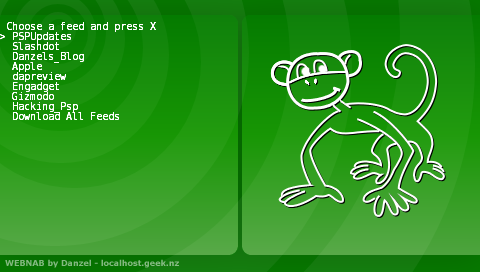
Mini fix for PSPUpdates new theme, we now use their RSS feed instead of parsing the main site.
PSPUpdates and Slashdot are now stored in the feeds.txt instead of being hardcoded, so you can remove them or do whatever 😉
The monkey is back on the default skin 🙂
Danzel, how many feeds does this app support? I have a total of 12 feeds, but after viewing/downloading about 8 or 9, I get a message that says “There are no news items to view. Perhaps…”
Just wondering..
Great app, btw. Thanks.
Pingback: Hacking the PSP Blog
That is probably webnab running out of memory, I’ll test and fix it for the next version.
Thanks for the feedback 🙂
Pingback: Warum ich meine PSP liebe at skyBlog
Thanks for making this it rocks!
For both this and Peldet, you say “install it as normal homebrew” but give no indication as to what this “is” or which file/folder it should be put into on the PSP. For one thing, there are two eboot.php files in both archives, and you can not extract them into the same folder without one replacing the other. Please give more specific install directions, or in the archive put the files in a directory structure that resembles what is found on the PSP.
This homebrew is not here to hold your hand.
YOU INSTALL IT LIKE A NORMAL HOMEBREW.
If you had googled for “install homebrew psp” you would of found some perfectly fine guides.
People on the internets these days….
Hi Danzel – thanks for a brilliant homebrew – I use it most days to keep up with the latest news etc, much quicker than turning on the PC or browseing with the PSP. I know it’s not been updated for years (why mess with perfection) but I’ve got a couple of comments/bug reports. I find if a feed is down I get a message saying “There are no news items to view. Perhaps…” which is fine BUT then ALL feeds report the same. Looks like a “flag” needs to be re-set. Second – I’ve now “broken it” when my fake battery went instantly flat whilst using Webnab – now no feeds will read and I have to press square+triangle to abort. I’ve got a backup so no problem but, if I delete (or clear) REC.TXT will that sort it ?
Man its been a while since I looked at the webnab code.
rec.txt is never read in, it should be safe to delete. (Infact, the comment about it says “DEBUG HACK ONLY”, lol).
Did you mean feeds.txt?
Test your wifi with the wifi setup thing and the web browser, I’m not sure why powering off would cause webnab to stop working.
Thanks for the speedy reply Danzel. Strange thing this. I’d tried Webnab in the evening and then again in the morning and no feeds worked even after re-setting my router (never known the BBC news feed to be down). The PSP browser worked fine though. Tried hard re-set of PSP with no change. Came to work and made my post, got home in the evening and the problem had gone away !!!!!. Sorry I posted in haste.
i hope. abcba97d87 thanks
Hey Danzel, great little app.
I’m having a little trouble with it though, for the last couple of days it worked perfectly fine until today. I launch it and all I see is a black screen, something is happening in the background as I can see the wifi-LED flashing. At first I thought it might had been my feeds that were causing the issue so I deleted my feeds.txt file and put in the default one that came with the original download. When that didn’t work I deleted the app entirely and re-installed it from a fresh download but it’s to no avail.
I keep running into the same issue. I don’t want to just give up on this app as it’s great and does exactly what I want it to do and I do know it’s been a while since this was updated but I would like to know if there is a work around or if I’m just doing something wrong.
I’m using a Slimline PSP running 5.00M33-6 under the 5.XX Kernel.
Hello again, I managed to solve the problem. Security software that my college gave us corrupted the flash so I had to reinstall 5.00M33-6 and now everything works as it should. The software ironically enough was built to prevent data corrupting and instead did the opposite by destroying some of my programs and fragmenting my work. Luckily I’m a bit overprotective and make constant backups so none of my projects nor essays were lost. Now I have your program working at a full 100% to get the latest info from school along with the other news feeds I subscribe to. Thank you once again for making such great programs for the PSP!